Choosing an Engagement Platform for Your Nonprofit: What to Look For (and What to Avoid)
Most nonprofit buying guides for engagement platforms read like procurement checklists: feature matrices, pricing tables, a winner declared in the final paragraph. They're written by the vendors who win the comparison, which is convenient for the vendor and not particularly useful for you.
Our roundup of the best scavenger hunt apps in 2026 covers the wider field.
The harder question, the one nonprofit teams actually wrestle with at 9pm on a Tuesday, isn't "which platform has the most features?" It's...
"what happens if I pick wrong?"
This guide is built around that question. It draws on real conversations with Development Directors, Marketing Managers, and program leads at parks systems, conservation districts, leadership institutes, and community-focused nonprofits who've already made the call. Below: the 6 questions that actually matter, where the major platforms genuinely fit, and the failure patterns worth watching for.
The 6 questions, at a glance
If you only have 60 seconds, here are the questions worth asking any platform you're evaluating:
- Is the platform built for individuals, or for teams and communities?
Engagement is a structural choice, not a feature. - How much workflow does the platform handle for you?
The right tool gets out of your team's way, not just in front of your audience. - Will your audience actually use it?
The friction matters, but it's smaller than most teams fear when the platform reduces it on the front end. - Will you be able to prove ROI to your board?
You need data that captures what participants did, not just who attended. - Can you run it again next year without rebuilding from scratch?
A single campaign rarely justifies the cost. Annual programming does. - Does the platform create assets you can use beyond the experience itself?
User-generated content is the secret economic engine of the best nonprofit engagement programs.
Each question is expanded below, with what to look for and what to avoid for each.
Why this guide is different
A quick word on the source material. Most "vs." content is written from product marketing's seat. This guide is built from customer interviews with Development Directors and program leads who've already chosen a platform, run real campaigns on it, and learned what they'd do differently. Where customers gave us permission to share their stories publicly, they're named. Where they shared their experiences in confidence, the lessons are referenced anonymously by role and nonprofit type.
The competitors named in this guide (Let's Roam, Scavify, Eventzee) are the platforms that actually come up in nonprofit deal cycles. Where each one genuinely fits, we say so. That's the most useful version of a guide like this.
The 6 questions that actually matter
1. Is the platform built for individuals, or for teams and communities?
The short answer: Engagement is a structural choice the platform makes for you. Nonprofits need platforms built for communities, not parallel solo users.
Some engagement tools are designed around individual users completing tasks at their own pace. That's useful for self-guided tours or solo activities, but weaker when your goal is community-building. Others are designed around teams, social momentum, and shared activity feeds where participants see what others are submitting.
For nonprofits specifically, this question matters more than it does for corporate buyers. Your audience isn't a workforce; it's a community. Donors, volunteers, members, families, and program participants want to feel part of something. The platform you choose should make that visible to them.
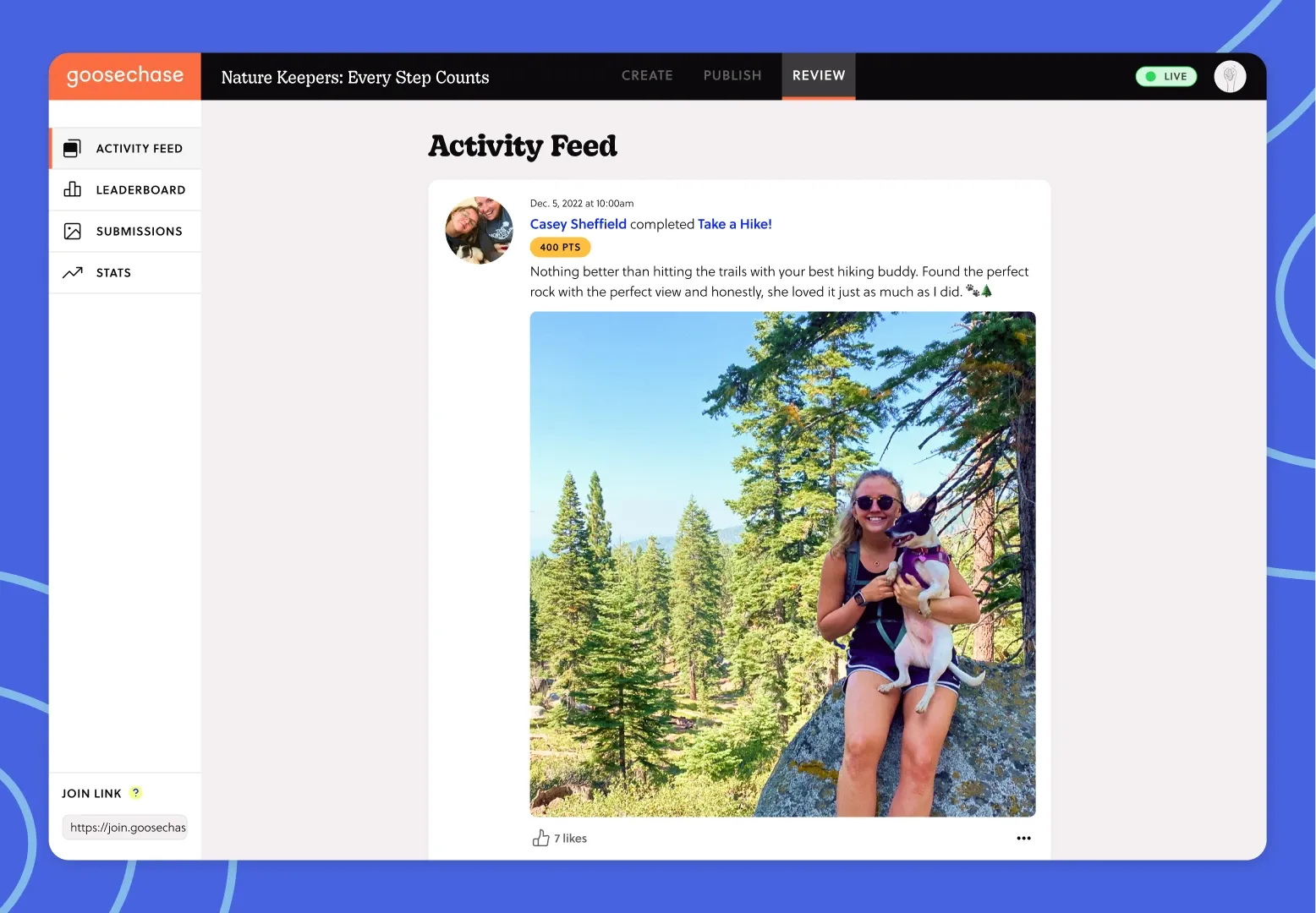
What to look for: A live activity feed where participants see each other's submissions in real time. Team-based scoring. Shared experiences rather than parallel individual ones.
What to avoid: Platforms that present as engagement tools but are really quiz tools, survey tools, or static event apps in disguise. If the participant experience is "fill in this form and wait for the score," it isn't community engagement.
2. How much workflow does the platform handle for you?
The short answer: The features that matter most aren't the ones in the demo. They're the ones that show up at 9pm the night before launch.
This is the question that separates the tools nonprofit teams keep from the ones they quietly stop using.
One Development Director at a leadership-focused nonprofit told us they spent three years on Social Scavenger before switching. That platform looked more sophisticated on the demo call: more features, more configuration options, more visible complexity. But once their team was actually running programs, every step felt like dragging a piano up a flight of stairs. Onboarding a colleague to the platform pulled the word "nightmare" out of them. They switched. The replacement wasn't more powerful in any abstract sense. It just got out of their way.
What to look for: Templates so you're not starting from a blank page. AI assistance for generating Mission content. A scheduling view that lets you see the whole campaign laid out as a roadmap, not as a date-math puzzle. Real-time edits during live experiences, so you can fix mistakes without rebuilding.
What to avoid: Platforms where every Mission requires you to wrangle complex configuration. Platforms that don't let you preview before publishing. Platforms where running the same campaign next year requires rebuilding from scratch.
3. Will your audience actually use it?
The short answer: The friction is real, but smaller than most teams fear when the platform reduces it on the front end. Look for QR-based joining and a track record with audiences like yours.
This is the question that keeps nonprofit Marketing Managers up at night. You're spending budget on a platform that requires participants to download an app, or at least visit a webpage, and learn a new interface. Will donors over 60 actually do it? Will volunteers at a single-day event tolerate the friction? Will the public engagement campaign you're planning hit a wall at the first sign-up prompt?
The honest answer is: it depends, and the platform you choose affects the friction substantially. Some platforms support QR code joining that auto-routes participants through the app store and into the Experience in two taps. Some don't. Some have a deep template library that lets you launch fast. Some make every campaign feel like a custom build.
Here's the part that surprises most nonprofit teams: when the platform is built right, audience adoption is rarely the problem people fear it will be. A state park running a year-long anniversary campaign expected pushback on the app requirement and got zero negative feedback across 1,200 participants and 9,000 submissions. A conservation district hoping for 200 participants got 800 actively engaged. A foundation running AI bootcamps for high school students (the Mark Cuban Foundation, whose program is documented in our case study) saw participation that was so fierce, students were beating the facilitator at her own designed-to-be-impossible Missions. BAYADA Home Health Care saw similar results running an Experience for adults with intellectual and developmental disabilities. Clients pushed themselves and finished early with what staff described as 'creativity and determination they'd never seen before.'
What to look for: QR code or link-based joining (not just "download the app and type this code"). Mobile-first design that doesn't require explanation. Templates and pre-built Missions so the first campaign launches fast. Examples of nonprofit deployments at the scale you're planning, with audiences like yours.
What to avoid: Platforms that require account creation before the participant has any sense of what they're joining. Platforms where the demo experience is significantly slicker than the real participant experience.
4. Will you be able to prove ROI to your board?
The short answer: You need reporting that captures what participants did, not just who attended. And exportable data so you can build a board-ready report.
A Marketing Manager at a conservation district summarized this question better than any board deck could: "What's the dollar value of a new parks site visit?" You're trying to measure something (engagement, awareness, participation) that doesn't have a clean revenue tag attached. And then you're trying to defend the spend to a board that asks for ROI.
The platform you choose either helps you answer this question or doesn't.
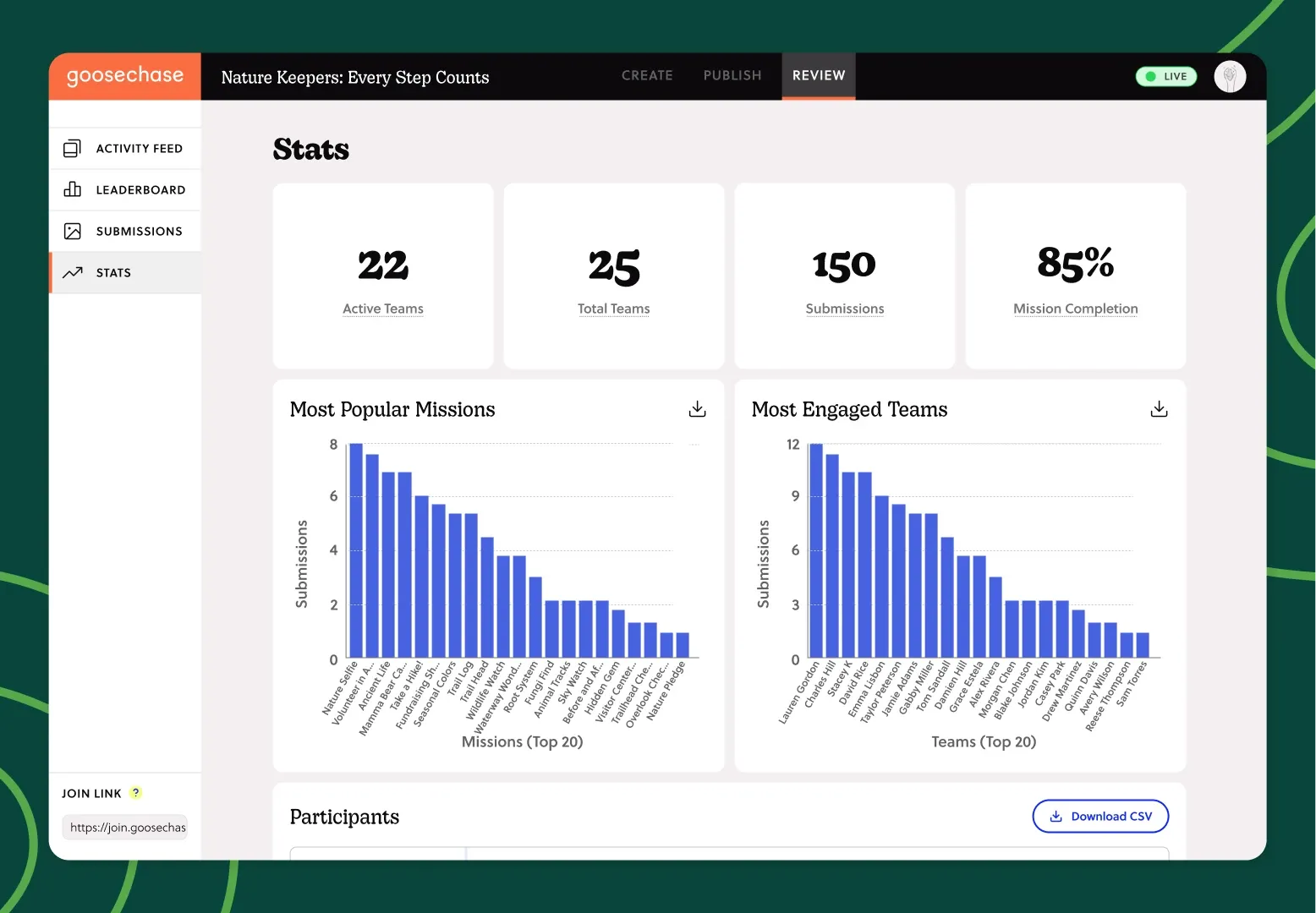
What to look for: Engagement reporting that captures what participants did (submission counts, completion rates, site check-ins, photo and video uploads) rather than just who attended. Exportable data so you can build your own board-ready report. User-generated content you can repurpose for marketing, fundraising appeals, and grant applications. Repeatable structures that let you compare this year's campaign to last year's apples-to-apples.
What to avoid: Platforms where reporting is locked behind enterprise tiers most nonprofits won't qualify for. Platforms that measure activity counts but not engagement quality. Platforms where every campaign produces a different data shape, making year-over-year comparison impossible.
5. Can you run it again next year without rebuilding from scratch?
The short answer: The math on engagement platforms only works when they become annual programming. Pick something built for compounding, not just one-time use.
This is where nonprofit teams either win big or get stuck. One county forest preserve district built their initial campaign as a 90-day pilot. Four years later, they're still running it, with an 80%+ participation rate, $40,000 in annual community-sourced merch revenue, and a program their team plans years in advance. The platform supported that compounding because the work invested in year one carried into years two, three, and four.
The platforms that fail this test fail it in predictable ways: experiences don't duplicate cleanly, content doesn't carry over, the team that built the first campaign leaves and nobody else can pick it up, the configuration is so bespoke that next year's launch is functionally a rebuild.
What to look for: Templates you can save and reuse. Experiences you can duplicate from a previous year's campaign. A platform interface intuitive enough that a new team member can learn it in a day, not a week. Strong customer support that retains institutional knowledge of your account between campaigns.
What to avoid: Pricing models that punish multi-year use. Platforms where annual content updates require starting over. Single-event tools dressed up as long-term engagement platforms.
6. Does the platform create assets you can use beyond the experience itself?
The short answer: User-generated content (photos, videos, stories) is the secret economic engine of the best nonprofit engagement programs. Pick a platform that makes that content easy to capture and reuse.
This is the question most nonprofits don't think to ask until they're already mid-campaign, when they realize their participants have just generated more usable content in three weeks than their marketing team produces in a year. Photos from participants exploring your parks. Videos of volunteers sharing why they showed up. Quote-worthy moments for grant applications and impact reports. Submissions that become next year's recruitment materials. (Our piece on volunteer recruitment ideas covers how to make those Missions land.)
A Marketing Manager at one conservation district put it this way: "You can't beat free user-generated content." That single insight has reshaped how the best nonprofit teams budget for engagement programs. Not as a one-time line item, but as a content-generation strategy that pays for itself.
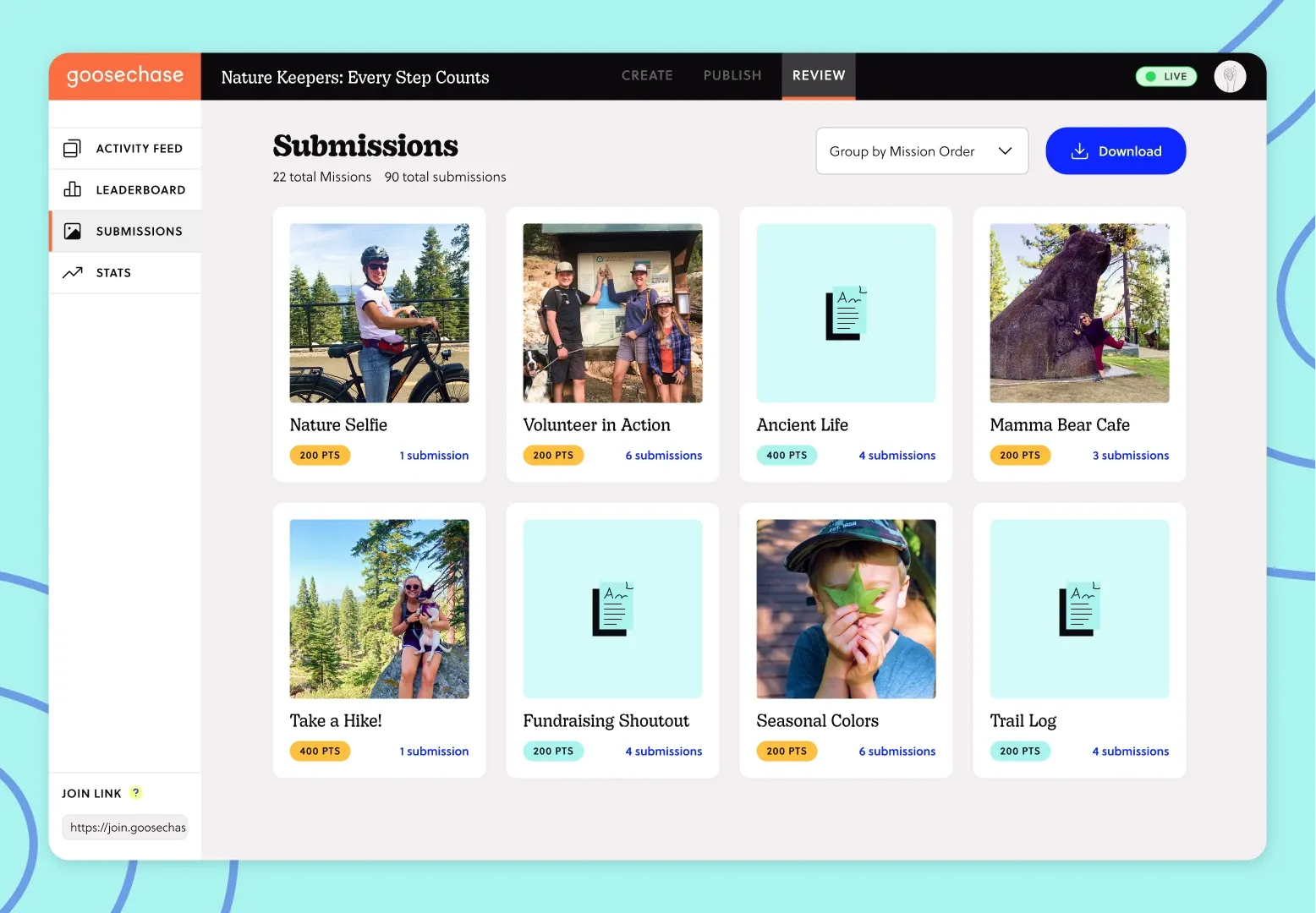
What to look for: Photo and video Mission types as a core platform feature, not an add-on. Easy export of participant submissions. Clear participant terms and conditions about content reuse (your legal team will ask). A visual activity feed that surfaces the best moments in real time.
What to avoid: Platforms where media uploads are limited or unreliable. Platforms with restrictive terms about content reuse. Platforms where extracting submissions for marketing reuse is a manual, painful process.
Where the well-known platforms genuinely fit
The major engagement platforms in market each have a real strength. Here's where each one is genuinely the right call, and where Goosechase tends to be the stronger fit for nonprofits specifically.
Let's Roam
Best for one-off, pre-built scavenger hunts in major cities. If you're a small nonprofit planning a single team-building afternoon or a casual donor outing and you don't need to customize anything, Let's Roam's ticketed model is fast and easy. Where it falls short for most nonprofits: there's no platform to design your own campaign on. You're picking from a menu, not building something specific to your mission. For deeper detail, see our Goosechase vs. Let's Roam comparison.
Scavify
Best for short, structured corporate team-building events. Scavify's strength is its focus on time-bound, single-event use cases. Where it falls short for most nonprofits: the platform isn't built for long-running community engagement programs, year-over-year repeatability, or the kinds of public-facing campaigns that draw families, donors, and program participants over months rather than hours. For deeper detail, see our Goosechase vs. Scavify comparison.
Eventzee
Best for events that need a wide variety of task formats (QR scans, trivia, GPS, informational). Eventzee's flexibility makes it a fit for events that want to combine information delivery with interactive challenges. Where it falls short for most nonprofits: the platform leans more toward corporate event activations than community-driven engagement programs, and the engagement reporting and template library aren't as developed for ongoing nonprofit programming. For deeper detail, see our Goosechase vs. Eventzee comparison.
Goosechase
Best for nonprofits running engagement as a program, not a one-off. The customers using Goosechase for nonprofit engagement run campaigns that span seasons, years, and multiple parts of their organization: fundraising activations, volunteer onboarding, donor stewardship, community programming, advocacy campaigns. The platform is built around the assumptions a nonprofit Development Director actually has: that this campaign needs to ladder into next year's, that the team running it can't be technical, that the audience needs to be able to join without friction, and that the board will eventually ask for proof it worked. Want to see it for yourself? Here are four ways to try it.
Three real nonprofit examples
Three nonprofits, three very different scales of engagement.
A four-year community engagement program
The Forest Preserve District of Will County built the Take It Outside Challenge (now Be a Trailblazer) to drive community engagement across 23,000 acres of preserved land. Year one drew 1,200 participants and 117,000 Mission submissions. Four years later, the program is still running, with 2,000+ active participants, an 80%+ completion rate, and $40,000 in annual community-sourced merch revenue funding ongoing initiatives. Read the full case study →
A climate engagement campaign across all five NYC boroughs
Holes in the Wall Collective ran a series of Goosechase Experiences during Climate Week NYC to engage everyday New Yorkers in climate action. One Mission asked participants to write "a love letter to the Department of Environmental Protection." The winners reported visiting boroughs and neighborhoods they'd never been to before. The participation became the awareness. Read the full case study →
A 90th anniversary parks campaign
A state parks system used Goosechase to run a year-long 90th anniversary campaign. The team braced for pushback on the app requirement and the payment-required Missions (some Missions asked participants to pay park entry fees as part of the experience). What they actually got: 9,000 submissions from 1,200 participants, 5 teams completing all 100 Missions, and zero negative feedback about the app requirement. Participants drove 1–2 hours specifically to complete Missions tied to specific park locations. The campaign successfully moved people around the park system to locations they'd never visited.
The patterns worth avoiding
Three failure modes show up across the nonprofit teams who've shared their experiences. They're the patterns worth watching for as you evaluate platforms.
- Failure Mode 1: Choosing the platform that looks more capable over the one that works more smoothly.
This is the Social Scavenger pattern: picking the tool that feels more "robust" on the demo, only to discover that robustness translates to friction once you're using it daily. The test isn't what the platform can do; it's what your team can do with it. - Failure Mode 2: Treating engagement as a one-off rather than a program.
Nonprofit teams that get the most value from engagement platforms treat them as compounding infrastructure, where each campaign teaches them how to run the next one better. Platforms that don't support that compounding (no template reuse, no year-over-year duplication, no ability to build institutional knowledge) leave value on the table every year. - Failure Mode 3: Buying based on features instead of fit.
The longest feature list isn't the best platform. The platform whose strengths match your actual use case is. A Development Director running quarterly events needs different things than a Marketing Manager running a year-round community campaign. Match the platform to the program, not the spec sheet.
A final note
The nonprofit teams that get this right share one habit: they treat engagement as a program, not a one-off. They start small, design for the audience they actually have, measure outcomes rather than vanity metrics, and plan for year two from the start. The platform you choose should make all four of those easier, not harder.
For the broader strategic frame this guide sits inside, see our nonprofit engagement strategy playbook.
For specific tactical ideas you can put into practice this year, our piece on gamified fundraising ideas for nonprofits covers what real interactive engagement looks like in practice.
Where to go from here
If you're early in your evaluation and want to see what an interactive Experience looks like in practice, start a free Goosechase Experience. No credit card, no commitment. You can build a small test campaign in an hour to see whether the format fits your audience.
If you want to see how other nonprofits have done it, our case study roundup of four nonprofits doing engagement well is the fastest way to see the patterns in action.
If you're evaluating engagement platforms for a parks system, library, museum, public health department, or other public institution, our piece on how public institutions build community engagement that lasts covers the patterns specific to that work.
Ready to talk to someone about whether Goosechase fits your specific mission, and learn more about noprofit pricing?
Competitor pricing and feature information based on publicly available data as of May 2026 and subject to change. Third-party trademarks belong to their respective owners.
FAQ
What's the difference between an engagement platform and a scavenger hunt app?
The terms overlap, but they signal different things. "Scavenger hunt app" usually describes the participant experience: a mobile app where people complete tasks. "Engagement platform" describes the broader system organizers use to design, run, and measure interactive campaigns. For nonprofits specifically, you're typically buying the engagement platform side, the tools to design something that works for your community, not just an app to send people to.
Do all engagement platforms require participants to download an app?
Most do. The friction is real but often smaller than nonprofit teams fear, particularly when the platform supports QR code joining that auto-routes participants through the app store and into the Experience. Some platforms are starting to support browser-based participation as a fallback. Confirm this during evaluation if your audience is older or includes participants who may be reluctant to install new apps.
How much should a nonprofit budget for an engagement platform?
For a one-off campaign, expect to spend $500-$2000. For an ongoing program, annual subscriptions range from $2,000 to $7,500 depending on scale, with steep discounts typically available for nonprofits and schools. The relevant comparison isn't the platform cost. It's what the campaign generates: new donors reached, content created, community engaged, awareness driven.
Can engagement platforms work for older audiences?
Yes, in the right conditions. The state parks system referenced above ran a year-long campaign with significant family and older-adult participation and reported zero pushback on the app requirement. The keys are clear instructions, low-friction joining (QR codes), and Missions that work for the audience you actually have rather than the one you wish you had.
How do you measure ROI on community engagement?
The honest answer: not in a single metric. The nonprofit teams that defend these programs successfully to their boards use a combination of participation data (submissions, completion rates), content output (photos, videos, stories), behavioral data (site visits, follow-up engagement), and qualitative feedback. The platforms that support this kind of multi-dimensional reporting make the case easier to build.