
Step by Step: How to Plan a Digital School-Wide Spirit Week
A digital Spirit Week makes it easier to run daily themes, track participation across every grade, and keep the energy high, without a mountain of paperwork or hallway announcements. This guide walks you through picking a theme, setting up teams, building daily Missions, and keeping the whole school engaged from Monday to Friday.
The Hallway Sign-Up Sheet Problem
If you have organized a Spirit Week before, you know the drill. A paper sign-up sheet in the front office. A few homeroom teachers reminding students about "Twin Day." A daily announcement over the PA system that half the school does not hear.

By Wednesday, participation has usually dropped off, and it is hard to know who actually took part beyond what you can see walking the halls.
A digital Spirit Week solves a lot of that. Instead of relying on hallway buzz and sticky notes, you can run the whole week from one place, track who is participating in real time, and give every grade, homeroom, or club a clear way to join in. If you want more inspiration before diving in, School Spirit Days: Great Ideas for Homecoming and Spirit Week is a good place to start.
What You'll Be Able to Do By the End of This Guide
By the end of this post, you will know how to:
- Turn your Spirit Week themes into daily digital challenges
- Organize students into teams by grade, homeroom, or club
- Track participation across the whole school in real time
- Keep the week running smoothly with minimal extra work for staff
What You'll Need
Before you start building, gather the following:
- A Spirit Week theme and daily sub-themes (Pajama Day, Decade Day, Color Wars)
- A list of teams or groups (by homeroom, grade, or house system)
- Student access to Goosechase, either via web browser or the iOS or Android App.
- About 1-2 hours of planning time before launch
- A free Goosechase Educator account (Goosechase's Free Educator plan supports up to 5 teams of students at no cost.)
Step-by-Step Instructions
Step 1: Choose your Theme and Daily Sub-Themes
Start with an overall Spirit Week theme, then break it into a sub-theme for each day. A "Decades Week" might run 80s Day on Monday, 90s Day on Tuesday, and so on. Keep each day's theme simple enough that every grade level can participate without special props or costumes they do not already have.
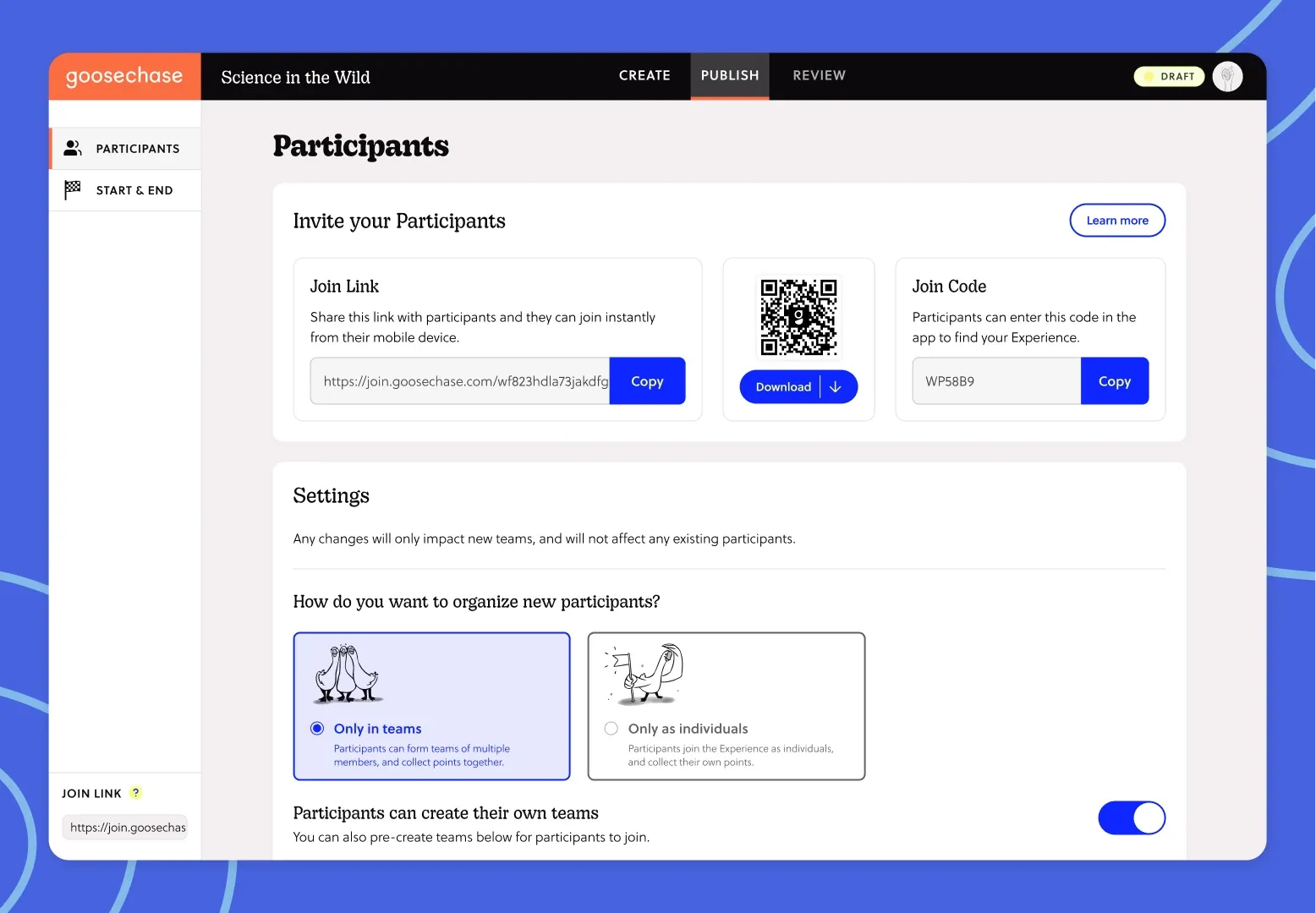
Step 2: Set Up Teams in Goosechase
Instead of tracking participation by memory, set up teams inside your Goosechase Experience. Teams can be organized by homeroom, grade level, or house system, whatever matches how your school already groups students. This gives every group its own identity and a reason to compete or collaborate throughout the week.
Step 3: Build a Mission for Each Day
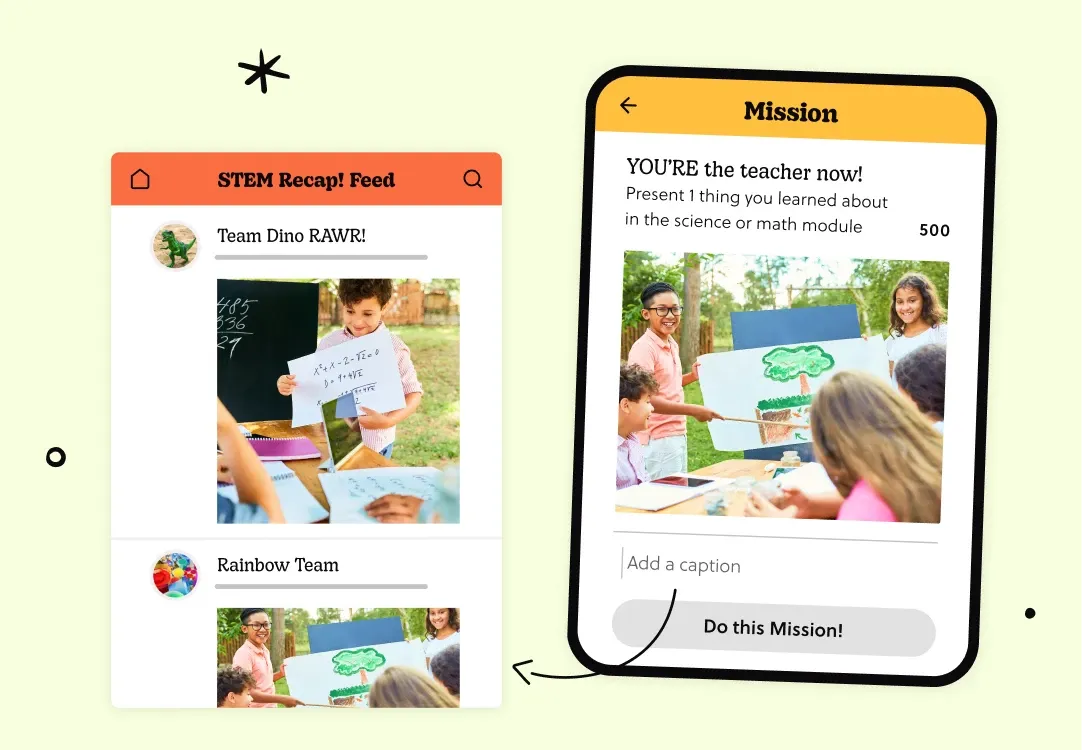
Create one Mission per day tied to that day's theme. Missions can ask students to submit a photo of their outfit, a short video of a class chant, or a text response to a spirit-related prompt. Because Missions support photo, video, GPS and text submissions, you can mix formats to keep each day feeling fresh.
Step 4: Use Gated Missions to Build Anticipation
If you want to keep some surprise in the week, set up gated Missions so each day's challenge only unlocks once the previous day is complete. This keeps students checking back and gives the week a sense of progression instead of five disconnected days.
Step 5: Turn on the Leaderboard
Once teams are submitting, the Leaderboard tab shows how many points each team has earned, with the leading team at the top. This is an easy way to build friendly competition without any extra tracking on your end. If you’d prefer not to have a competition element, you can turn the leaderboard off.
Step 6: Promote the Week to Students and Staff
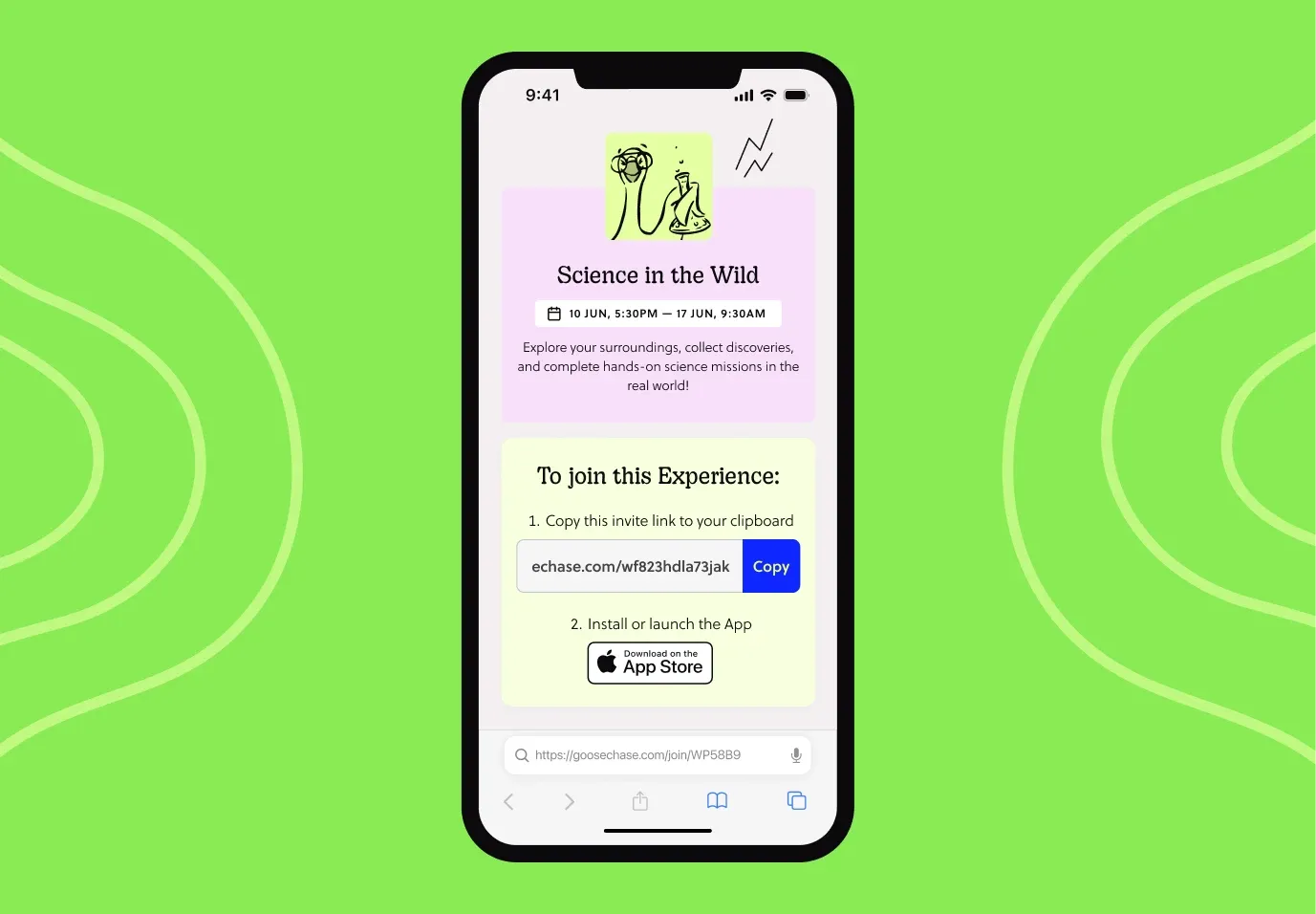
Share how to join before the week starts. A quick homeroom announcement, a QR code posted in the hallway, or a note home to families is usually enough. The easier it is for students to find and join, the stronger participation will be on day one. For more promotion tips, see What, Where, How?: Promoting your Goosechase Experience.
Step 7: Monitor the Activity Feed as the Week Runs
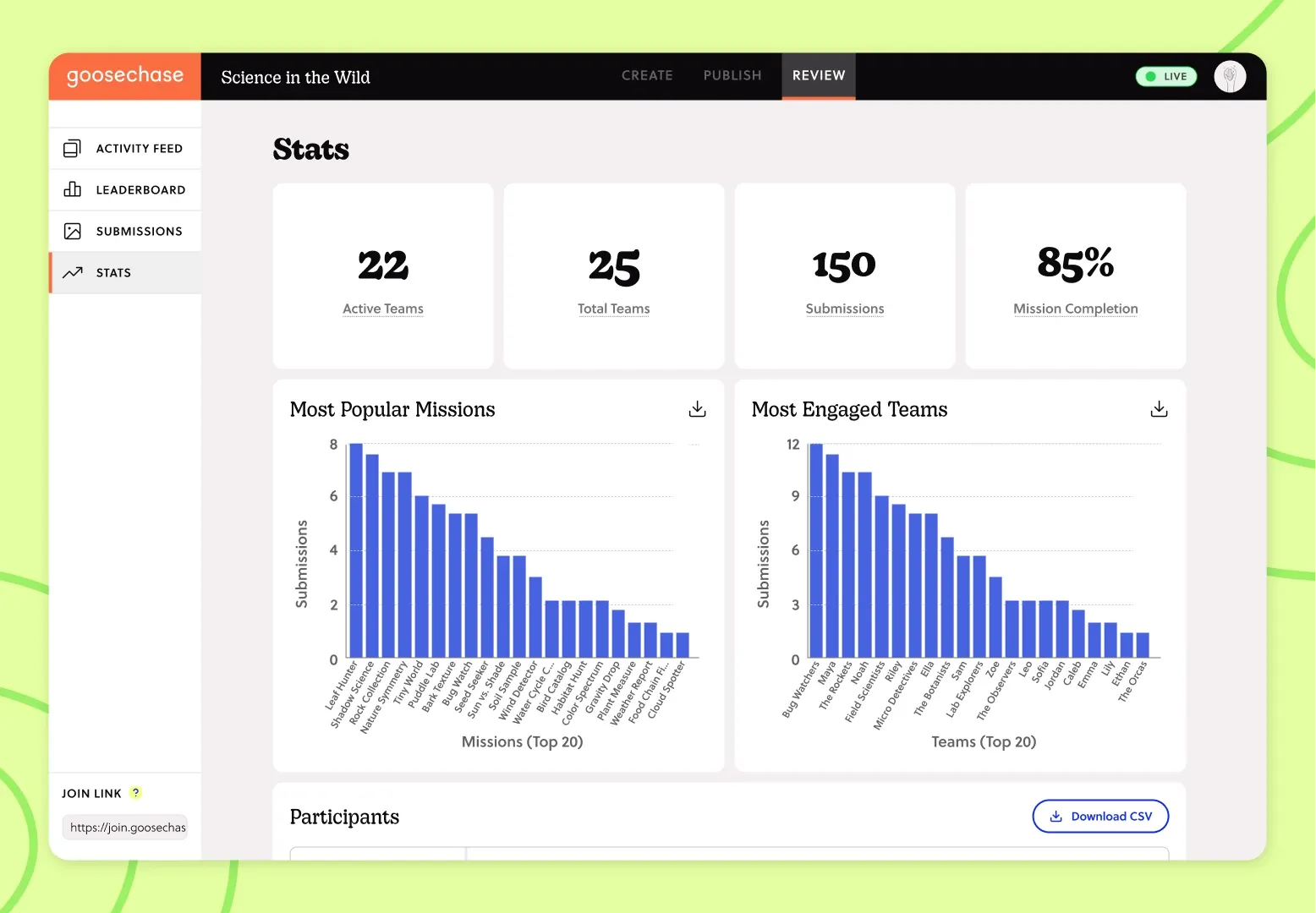
Once Spirit Week is underway, the Activity Feed shows approved submissions as they come in. This gives you a live view of participation across the whole school, so you are not relying on hallway impressions to know how the week is going.
Step 8: Wrap Up and Celebrate
On the last day, share final Leaderboard standings and recognize participating teams. Consider saving standout submissions to use in a yearbook, newsletter, or next year's Spirit Week promotion.
Other Considerations
- Age Appropriateness: Choose Mission formats and daily themes that work across your youngest and oldest students. A single school-wide theme should flex for a kindergartner and a 12th grader.
- Device Access: Confirm which grades have reliable access to laptops, devices, tablets or Chromebooks during the school day, and plan submission windows around that.
- Staff Coverage: Decide ahead of time who is reviewing submissions each day so the Activity Feed does not go unmonitored.
- Privacy and Safety: Goosechase is built with privacy and security in mind, which matters when photo and video submissions involve students. Confirm your school's own media consent policies still apply for any submissions you plan to share outside the platform. If your district has specific compliance questions, Is Goosechase compliant with your classroom? is a helpful reference.
Tips and Troubleshooting
- Waiting until the morning of day one to share sign-up instructions: Promote the joining link at least a few days ahead so teachers and students know what to expect.
- Making daily Missions too complicated: Keep each day's task to one clear action, like a photo or short video, so it takes seconds rather than minutes to submit.
- Forgetting to assign someone to review submissions: Rotate Activity Feed monitoring among a few staff members so no single person is overwhelmed.
- Running the same theme every year without changes: Save your Experience and tweak a few Missions annually to keep it feeling new for returning students.
Next Steps
Once your Spirit Week wraps up, consider turning your favorite daily Missions into a template for other school-wide events, like Field Day or Homecoming. Here are a few resources to help you keep the momentum going:
- How to Organize a Goosechase Experience: A walkthrough of the basics if you're new to building Experiences
- Experience Template Library: Browse more Spirit Week and school event templates
Ready To Make This Year's Spirit Week Easier To Run?
Turn your Spirit Week into something students actually talk about. Set up your teams, load in your daily Missions, and let Goosechase handle the rest, so you can focus on the fun instead of the logistics.
FAQ
How much does it cost to run a digital Spirit Week with Goosechase? Goosechase's Free Educator plan supports up to 5 teams of students at no cost. Teachers needing more teams can access Educator Plus for $99/year, with discounted School-wide and District-wide plans also available.
Do students need smartphones to participate? No. Students have flexibility in how they join. They can participate through a web browser or the Goosechase app on iOS and Android, which means school tablets, Chromebooks, and personal phones, if your school allows them, are all valid options.
Can I reuse the same Spirit Week Experience next year? Yes. Experiences can be saved, reused, and adapted, so you can build on a Spirit Week Experience year after year instead of starting over.
How do I keep submissions appropriate for younger students? Choose simple Mission formats like photos or short text responses, and assign staff to monitor the Activity Feed as submissions come in throughout the week.
Can different grade levels compete against each other? Yes. Teams can be set up by grade, homeroom, or house system, and the Leaderboard tracks points for each team so grades or groups can compete side by side.