
12 Classroom Games Online That Keep Students Engaged
Every teacher knows the difference between a classroom where students are watching and a classroom where students are doing. The first is quiet. The second is loud, a little chaotic, and where the real learning happens. Online classroom games are one of the fastest ways to shift from the first kind of room to the second, without turning your lesson plan upside down. And "online" doesn't mean students glued to a screen. The best ones use a phone, tablet, or laptop as the launchpad for real-world action: photographing, moving, creating, and collaborating out in the room.
Thousands of teachers use Goosechase.
The trick is finding games that spark genuine participation, not just polite attention. A game where students click a button and wait isn't much different from a worksheet with better graphics. What you want are activities that use a device to spark talking, moving, creating, and collaborating. Think of the tool as the game board, not the game. For more ways to put devices to work in lessons, see these tech tools that boost student engagement.
Below are 12 classroom games online worth adding to your toolkit. Some are quick five-minute warm-ups, others can fill a whole period, and all of them get students actively involved rather than passively consuming. Many of them, from scavenger hunts and photo challenges to bingo, category sprints, and school-wide adventures, run beautifully on Goosechase. We help K-12 educators drive real student engagement by enabling interactive, Mission-based Experiences, without a heavy technical lift, so as you read, picture one flexible game board you can bend to whichever game fits your lesson.
1. Digital Scavenger Hunts
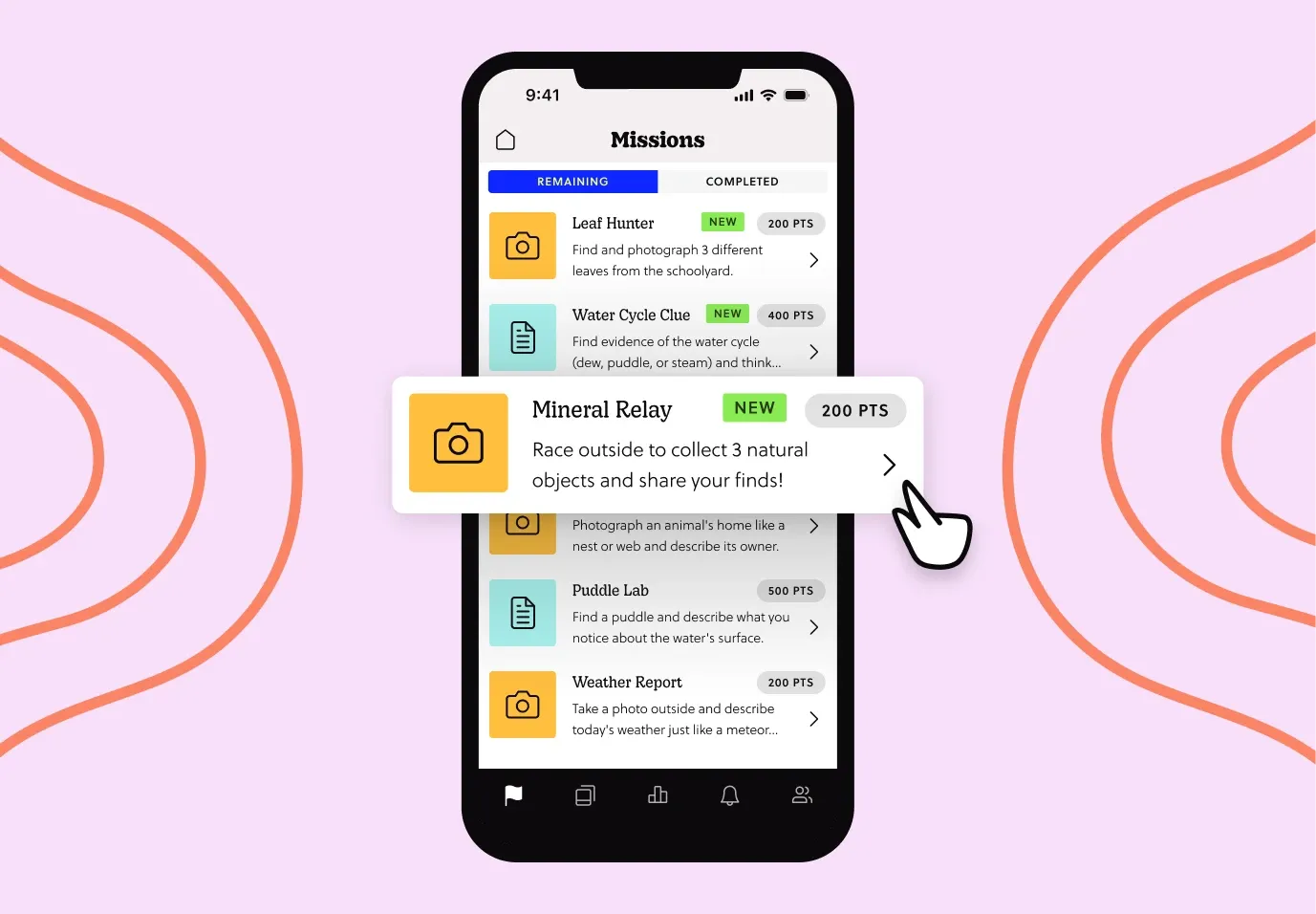
A digital scavenger hunt turns any topic into a series of tasks students hunt down, photograph, or solve. You can hide clues around vocabulary, historical dates, math problems, or science concepts, then let teams race to complete them. Because students submit photos, videos, or answers through a web or mobile app, everyone stays busy at once, which is a lifesaver for large classes.
The beauty of a scavenger hunt is flexibility. It works indoors, outdoors, remote, solo, or in teams, and it scales from a single classroom to a school-wide event without extra setup.
2. Live Trivia Rounds
Run trivia through a shared screen or a tool on each team's device, and it's fast, competitive, and easy to tie to whatever you're teaching. Break the class into small teams so quieter students still contribute, and rotate who answers so nobody hides at the back. Keep rounds short, five to eight questions, to hold energy high.
To make it more than passive clicking, add a discussion beat after each question. Ask a team to explain their reasoning before you reveal the answer, and you've turned a quiz into a conversation.
3. Story-Building Chains
In a story-building chain, one student starts a story with a sentence, and each student adds a line in turn. Run it in a shared online document so everyone sees the tale grow in real time. It's brilliant for creative writing, but it also works for reviewing content when you ask students to weave in facts from the lesson.
This game rewards imagination and listening in equal measure. Students have to build on what came before, which sneakily reinforces the material while they're having fun.
4. Would You Rather Debates
Post a "Would You Rather" question to a shared board or app, then let students argue for their choice. In history, it might be "Would you rather live in ancient Rome or ancient Egypt?" In science, "Would you rather explore the deep ocean or outer space?" Students pick a side and defend it with evidence.
It's a low-stakes way to build critical thinking and speaking skills. Everyone has an opinion, so participation comes naturally, even from students who usually stay quiet.
5. Photo Challenge Missions
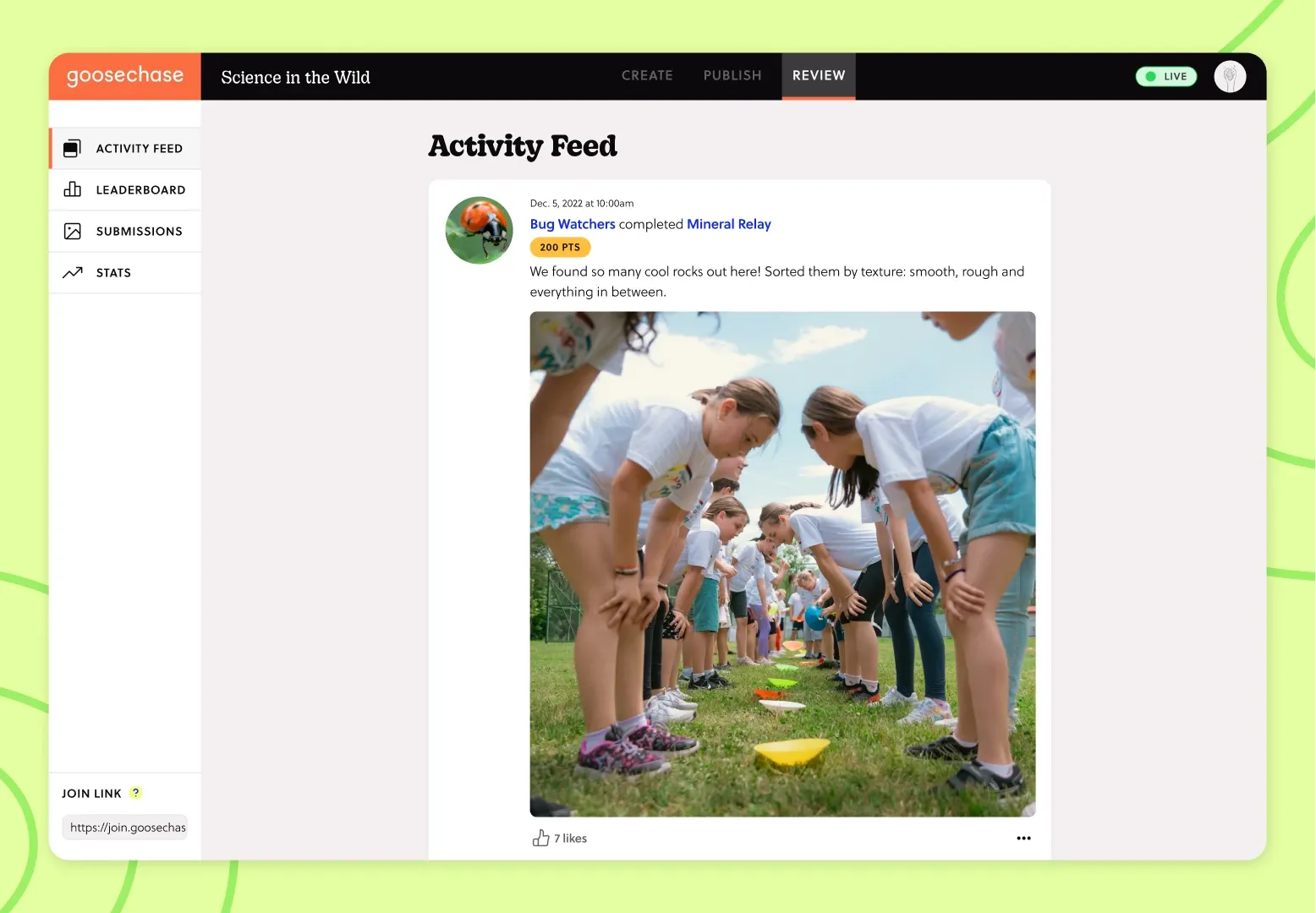
Give students a creative prompt and ask them to capture it in a photo or short video. Recreate a famous painting, act out a vocabulary word, or demonstrate a science concept in action. Photo challenges get students out of their seats and thinking creatively, which is exactly what a long afternoon needs.
These challenges shine on platforms built for real-world interaction. When students submit their shots through a tool to a shared feed, the whole class gets to celebrate each other's creativity.
6. Escape Room Puzzles
Digital escape rooms run online and give students a series of locked puzzles they solve to "escape" before time runs out. Each puzzle can test a different skill, from decoding messages to solving equations to spotting patterns. Teams have to communicate and divide tasks, which builds collaboration alongside content knowledge.
You can build your own around a unit or adapt a template. Either way, the ticking clock keeps students focused and the shared goal keeps them working together.
7. Charades and Pictionary
Some of the best classroom games online are old favorites reimagined for a screen. Charades and Pictionary translate perfectly to a shared screen or app: assign a term, and students act it out or draw it while teammates guess. Both are ideal for vocabulary review, since they force students to think about meaning rather than memorized definitions.
They're also refreshingly easy to run. All you need is a list of terms and a willing volunteer, and the laughter takes care of itself.
8. Bingo Boards
Create a digital bingo board filled with concepts, terms, or tasks instead of numbers. As you review material or as students complete activities, they mark off squares until someone gets a line. It's a gentle, inclusive game that keeps everyone tracking along with the lesson.
Bingo works especially well as a review tool before a test. Students revisit key ideas without the pressure of a formal quiz, and the format keeps them scanning for what they've learned.
9. Two Truths and a Lie
This icebreaker doubles as a sharp review game. Students post two true statements and one false one about a topic to a shared board, and classmates guess which is the lie. It pushes them to understand material deeply enough to craft a convincing fake, which is harder than it sounds.
Use it at the start of a unit to build community or at the end to check understanding. Either way, it gets students reading each other's work closely and thinking critically about what's true.
10. Team Building Challenges
Not every game needs to be about content. Team building challenges, like collaborative drawing, group problem-solving, or silly cooperative tasks, strengthen the relationships that make a classroom work. A class that trusts each other participates more openly across every subject.
Sprinkle these in on tough days or after breaks. Ten minutes of connection often buys you a much smoother lesson afterward.
11. Category Sprints
Give students a category and an online timer, then challenge them to list as many items as they can into a shared doc or tool. "Elements on the periodic table," "verbs in the past tense," "capital cities in Europe." Run it in teams for a fast, energetic burst of recall.
Category sprints are perfect for filling the last few minutes of class or waking up a sleepy group. They reinforce vocabulary and facts while keeping the energy playful.
12. School-Wide Adventures
When you're ready to go bigger, a school-wide adventure connects multiple classrooms in one shared game. Students complete Missions across the building or campus, submit their progress, and watch a live Leaderboard track every team. It turns an ordinary day into an event students remember.
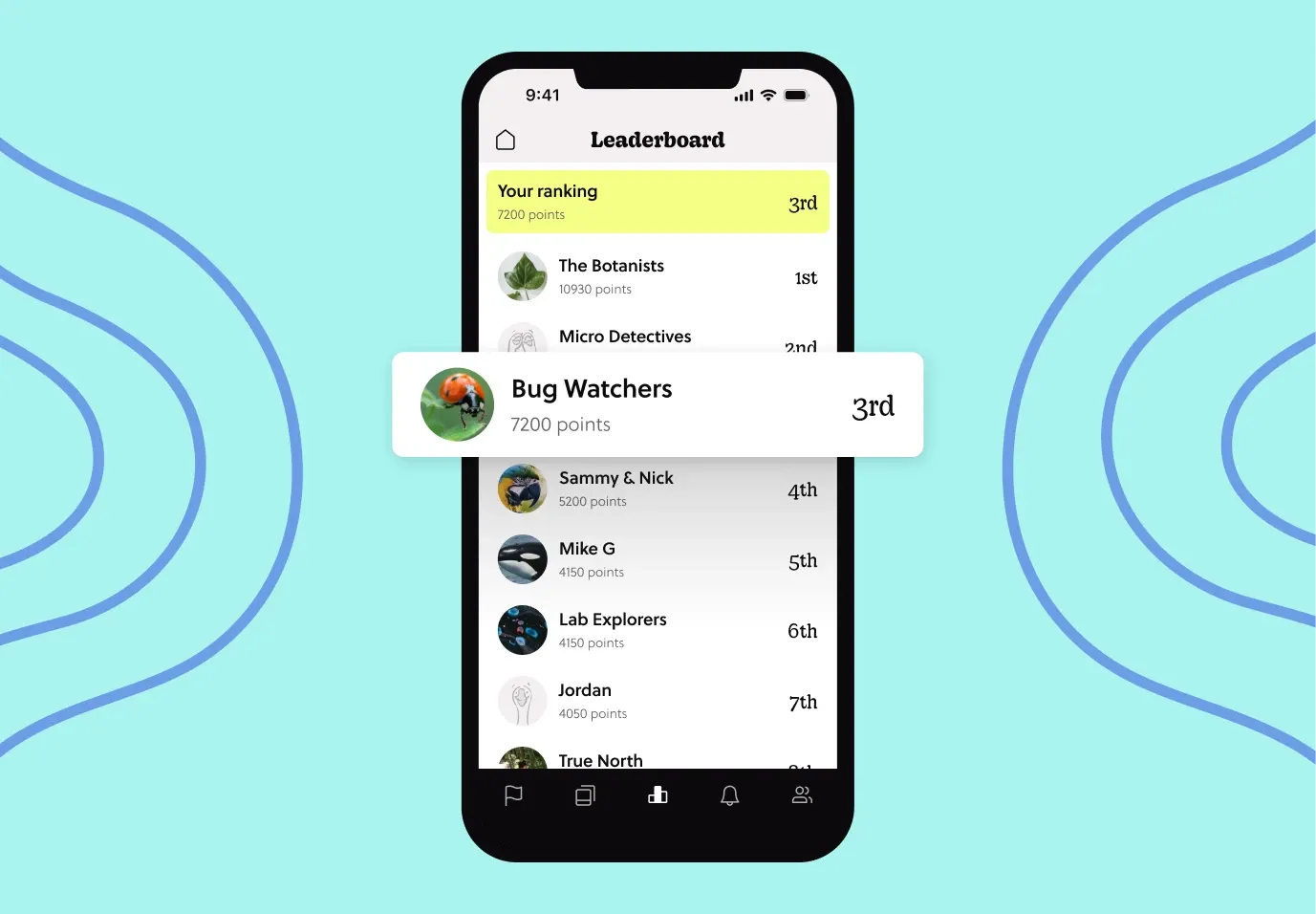
This is one of the moments Goosechase really shines. Students complete Missions across the building or campus, submit their progress, and watch a live Leaderboard track every team. That said, the same platform scales all the way down to a single classroom warm-up, which is exactly why it's worth reaching for. Whether you're running a quick photo challenge or an all-school field day, it's designed for real human interaction, not forced engagement.
Tips for Running Online Classroom Games With Remote Students
Remote and hybrid classes have a quiet problem: it's easy to confuse attendance with engagement. A screen of muted students doesn't mean anyone is learning. These adjustments help the games above work when students join from home.
- Send students away from the screen. Ask for real objects around the house, like "Find something older than you and tell us its story" or "Photograph an object that's a perfect cube." Tie each prompt to your subject, from fractions in the kitchen to simple machines around the house.
- Make trivia ask for action. Instead of "What does photosynthesis mean?", try "Take a photo of something in your home that relies on photosynthesis." Students still show what they know, but they have to think, not just recall.
- Schedule movement breaks. Run a two-to-three-minute "find and freeze" round, where students grab an item that matches a category and hold it up, or ask them to act out a vocabulary word or a stage of the water cycle. Use them when you can feel attention dipping.
- Give quiet students a submission window. Students who freeze up in live discussion often shine when they can prepare a photo, video, or written answer on their own time. Share an example of a good submission so no one is unsure what you're after.
- Add hints to puzzles. In an escape room, let remote teams unlock an optional hint after a set time so nobody gets stuck and checks out.
- Lean on teams. Collaboration is the norm: in our 2025 K-12 participation data, 76% of students took part as a team rather than solo.
What Makes an Online Classroom Game Actually Engaging
An online classroom game is engaging when it turns a device into a tool for action rather than a screen to stare at. The strongest ones share a few traits: every student contributes, the activity connects to a clear learning goal, and there's room for creativity, movement, or collaboration.
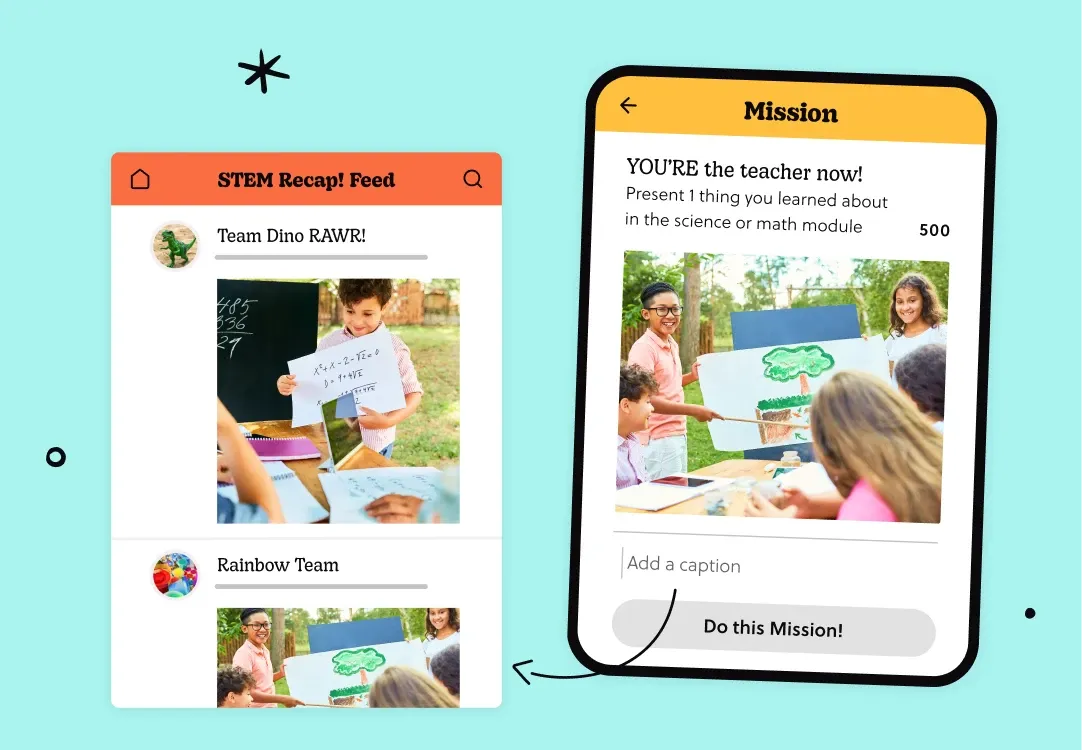
Here's a quick way to judge any game before you run it:
- Participation: Does every student have something to do, or do a few voices dominate?
- Purpose: Does it reinforce a specific concept, skill, or relationship?
- Flexibility: Can you reuse it across topics with a fresh prompt?
- Low lift: Can you set it up in minutes, not hours?
- Real interaction: Does it get students talking, moving, or creating, not just clicking?
If a game checks most of these boxes, it'll earn its place in your rotation.
How to Pick the Right Game for Your Class
The best classroom games online aren't the flashiest ones, they're the ones your students actually want to play. Start with your goal. If you need a quick energy boost, reach for a category sprint or charades. If you want deeper collaboration, try an escape room or a school-wide adventure.
Pay attention to participation over attention. A game that keeps every student contributing beats one where a few loud voices dominate. And don't be afraid to remix: the same photo challenge that reviews vocabulary on Monday can review history on Friday with a fresh prompt.
Most of all, keep it low-lift for you. The point of classroom games online is to make teaching more enjoyable, not to add hours of prep. Pick a couple of these, make them your own, and let the chase begin.
Ready to turn your next lesson into an adventure students actually enjoy? Build your first Experience free.
Frequently Asked Questions About Online Classroom Games
What are the best online classroom games for engagement? Digital scavenger hunts, photo challenge Missions, escape room puzzles, and school-wide adventures tend to drive the most participation, because they get students creating and collaborating rather than passively clicking. The best choice depends on your goal: quick energy boosts suit category sprints and charades, while deeper collaboration suits escape rooms and adventures.
Do online classroom games work for all grade levels? Yes. Most of these games flex from elementary through high school by adjusting the difficulty and prompts. A scavenger hunt for younger students might focus on shapes and colors, while an older class might tackle historical dates or math problems.
How do I run an online classroom game without a heavy tech setup? Pick a flexible platform where you can build once and reuse often. With Goosechase, creators set up Missions in the Studio, students join through a web browser or app, and Submissions flow into a shared Activity Feed, no complicated configuration required.
Are online classroom games just for review? Not at all. They work for introducing new material, building community, checking understanding, and celebrating creativity. The same photo challenge that reviews vocabulary can also kick off a brand-new unit.