
Personalize the Pace with Time-limited Missions
You can now expire Missions based on when they're released.
Setting a Mission to expire used to mean doing a little arithmetic (and if you’re like me, doing so with all ten feathers 🖐️). Your only options were a fixed clock time (”Expires at 3:00 PM Eastern Time on Day 2”) or something relative to the Experience starting or ending (”10 hours after Experience starts”), which is fine until you want every team to get the same three hours and half of them don't unlock the Mission until the last day.
Skip all that math. There's now a third option in the Availability tab:
"____ after this Mission is released."
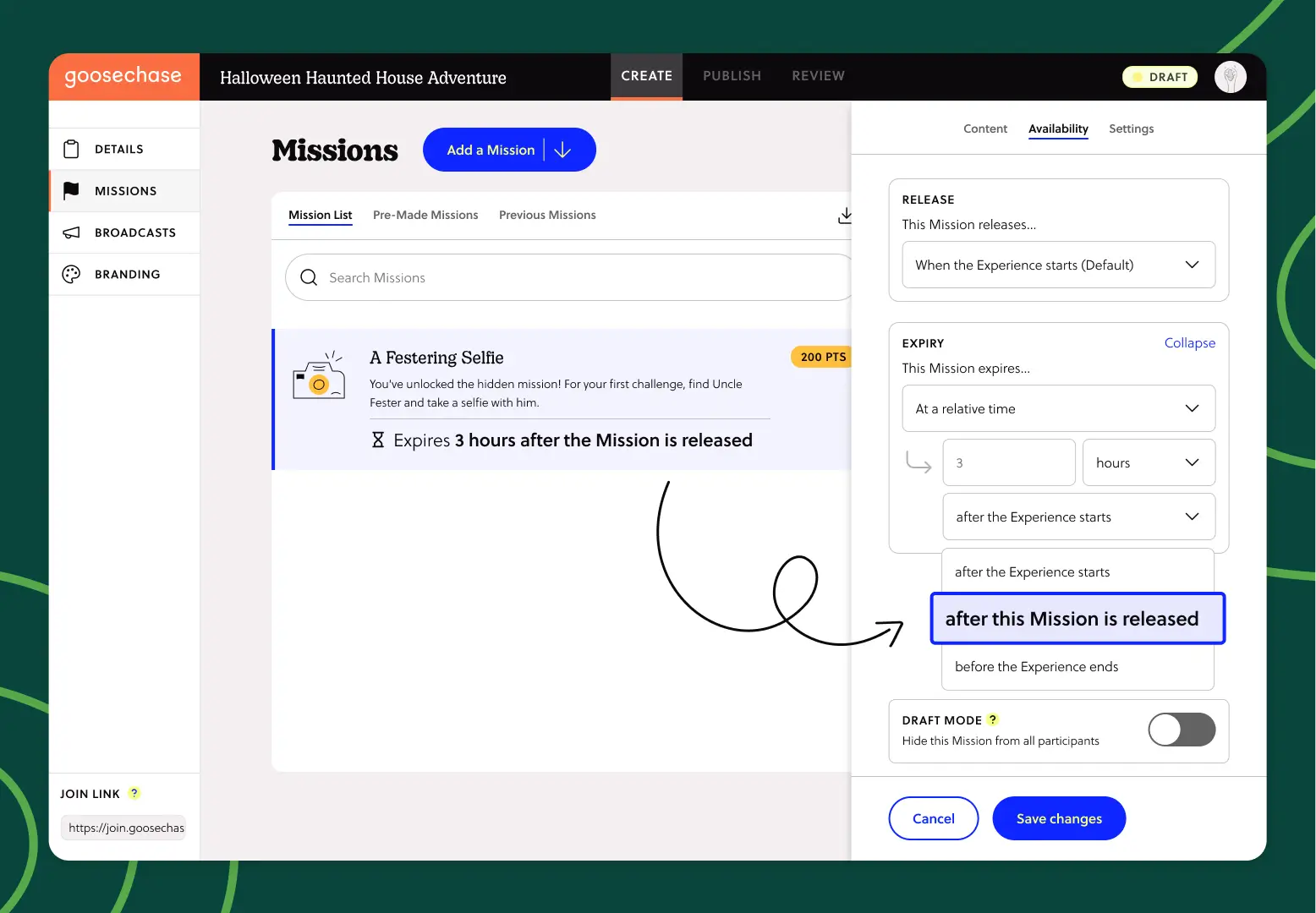
Pick a number, pick a unit of time, and the countdown starts from the Mission's own release instead of the Experience's clock.
Everyone gets the same window
Here's where it gets especially good: For unlockable Missions, the countdown starts the moment each participant or team gets there.
Everyone gets the same timeframe to complete the Mission, just shifted to each individual clock.
The team that sprints ahead and unlocks it Monday morning gets their full window. So does the team that saves it for Wednesday afternoon. First or last, the challenge is identical, which makes it much fairer to score.
What to do with time-limited Missions
Classrooms with different period schedules. Release Missions that live for one class period, and let everyone get the same game time no matter when they meet.
Multi-day conferences and onboarding. Drop a Mission on day two that expires 4 hours later, without counting forward from your Experience start date.
Any Experience with a leaderboard (so…all of them). Equal windows mean the scoreboard measures how teams played, not when they happened to log in.
Where to find time-limited Missions
Open any Mission in the Studio, head to the Availability tab, and look under Expiry. Choose "At a relative time," then select "after this Mission is released" from the dropdown.
That's it. Go light a fuse. 🧨
What is Goosechase?
At Goosechase, experience is everything. Originally inspired by scavenger hunts, Goosechase is an online platform that enables organizations and schools to engage, activate, and educate their communities through delightful interactive experiences. Sign up and get started with a free Experience, or check out our Pricing!