Joining a Goosechase Has Never Been This Easy: Use Invite Links!
If you’re a creator and have ever found yourself typing “Download the Goosechase app, enter this randomized character code, and join our Experience!”...us too. And we’ve got great news.
Now, all it takes is one link.
Introducing invite links, the simplest way to invite participants to your Goosechase Experience. Whether you’re planning a team-building scavenger hunt, a campus orientation, or public customer scavenger hunt, invite links make getting people into the action faster, smoother, and way more fun.
Simplify Your Invitation with a Click or Scan
Invite links let participants join your Experience directly from a shareable URL or QR code: no more extra steps, no more confusion. Just click, scan, or tap, and they’re in.
How to Use Invite Links
Creators can find their invite link inside the Participants page in Studio, or on the bottom-left of the Studio sidebar. From there, you can share it however you like - email, social media, event signage, or carrier pigeon.
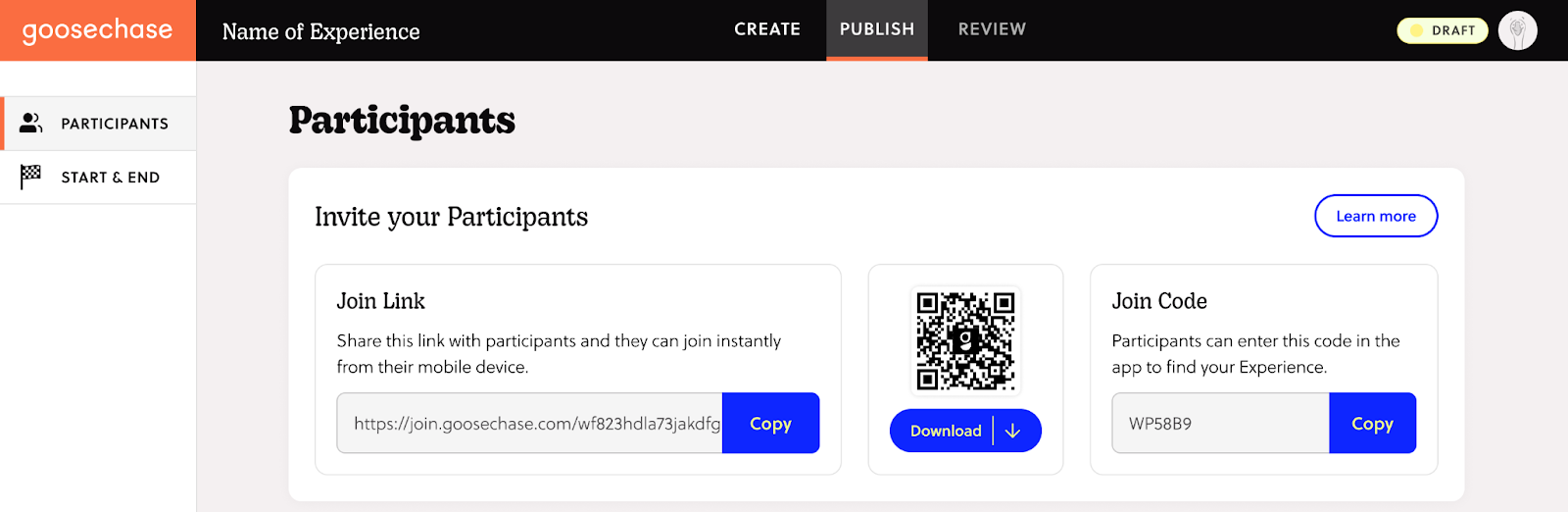
You can now invite participants in three simple ways:
- Share a URL: Invite your participants by email or a message.
- Share a QR code: Download as a PNG or SVG, and add it to flyers, screens, posters or billboards.
- Share your Join Code: You can still invite participants with a Join Code!
What Happens When They Click (or Scan)
The magic happens behind the scenes. What someone sees when they click your link or scan your QR code depends on their device — and whether or not they have the Goosechase app.
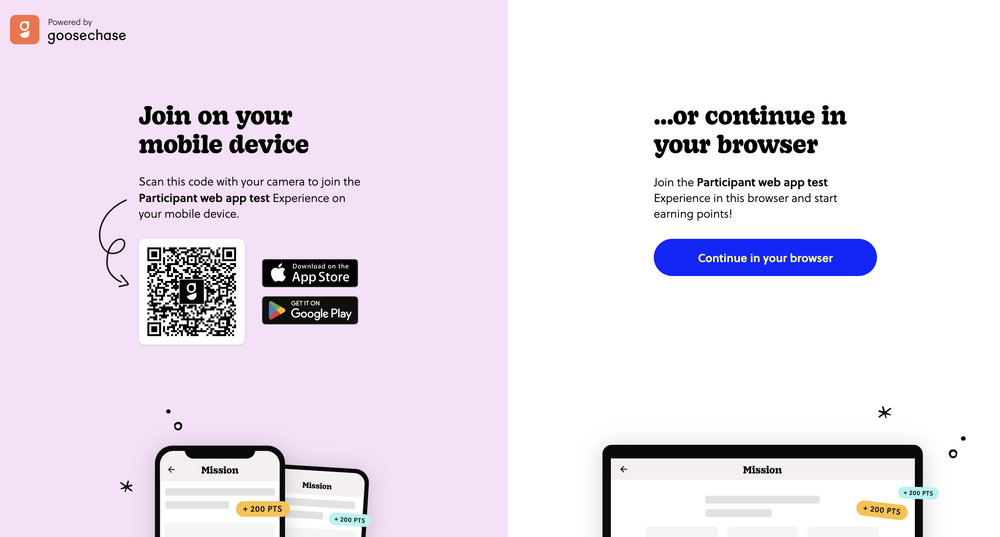
- If they're on a desktop computer or laptop: They'll see a split screen with two options.
- Scan the QR code with their mobile device to join the Experience from their phone or tablet.
- Select "Continue on Browser" to play right on their desktop or laptop, using the Goosechase Web App in their internet browser (Chrome, Safari, etc.).
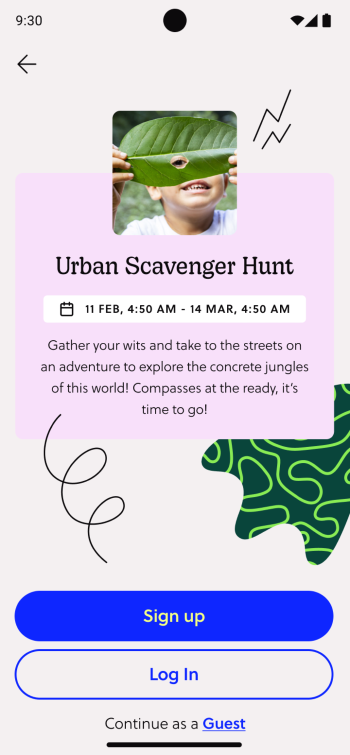
- If they're on a mobile device with the app already installed: Clicking the invite link launches the app directly, taking them straight to the Experience's details screen.
- If they're on a mobile device without the app installed: They'll be prompted to either install the app, or continue right in their phone or tablet's web browser (Chrome, Safari, etc.).
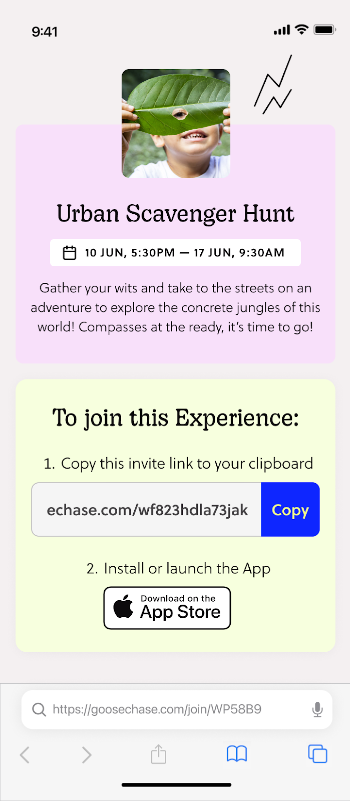
Whichever path they pick, they end up in the same place: ready to sign up, log in, or continue as a guest and start the Experience.
Flexible Ways to Join
Once they’re in the Goosechase app, participants can still choose how to show up in an Experience. Invite links support multiple sign-in options:
- Email login
- Single Sign-On (SSO)
- Continue as guest
Why You’ll Love Invite Links
We can summarize it in just a sentence:
Because it’s so intuitive, you’ll get fewer questions about how to join a Goosechase Experience.
- Reduce friction during onboarding.
- Encourage participation by removing confusing steps.
- Save time, especially for large or public Experiences.
- Make your marketing simpler and more fun with links and QR codes that fit perfectly into emails, posters, and signage. No complicated instructions needed.
- Keep things polished and professional, with easy shareability across teams, classrooms, or marketing campaigns.
It’s the easiest way to turn your audience into engaged participants.
Resources to Share with Participants
Ready to Try It?
Invite links are now available to everyone in the Goosechase Studio. Find your Experience, navigate to the invite link in the Participants tab, share it with your participants, and watch how effortlessly they join the fun.
When we say “Experience is everything”, we mean every step of the way should feel effortless and exciting. Especially the first.
What is Goosechase?
At Goosechase, experience is everything. Originally inspired by scavenger hunts, Goosechase is an online platform that enables organizations and schools to engage, activate, and educate their communities through delightful interactive experiences. Sign up and try creating a free recreational Experience, or check out our Pricing!