Goosechase Pro Tips: 10 Creative Ways to Level-Up Your Experiences
Looking for advanced Goosechase tips, new Goosechase Experience ideas, or creative ways to use the platform? This guide shares 10 expert-level strategies to help creators build more engaging, memorable, and effective Experiences, whether you’re running a classroom activity, corporate event, team-building challenge, or community program.
And…ACTION! Hi I am Jonathan and I am part of the customer success team here at Goosechase. If you are into goose watching, my species is typically found in the inbox helping our creators and participants solve problems, find creative solutions, and ensure their Experiences are running smoothly. In the process, I have learned about all the creative and unique ways creators use our platform. If you are trying to spot me in the wild, the local cinema is your best bet. Want to know who is going to win each Oscar before they happen? I’m your guy.

What I admire in my favorite directors (RIP David Lynch) is how they find out-of-the-box ways to use all the tools that cinema as a medium provides to create memorable and impactful films. In that same spirit, I decided I wanted to show existing Goosechase creators how they can creatively use all the tools our platform provides to create memorable and impactful Experiences. That is why I created Goosechase pro tips.
What are Goosechase pro tips?
Pro tips are support articles, not FAQs, that focus on creative solutions rather than step-by-step instructions. Made for experienced Goosechase creators, they skip the nitty-gritty and deliver quick, big-picture ideas and solutions. Goosechase pro tips help you level up and grow as a creator within our platform and hopefully spark a couple “Wow, I didn’t even know we could do that?”, “Wow, that's exactly what I was looking for”, or “Wow, you are my hero Jonathan” moments. Or you know, something along those lines.
Where to find Goosechase pro tips
The pro tips can be found alongside the rest of our support articles in the Goosechase Help Center. You can also search for a pro tip directly or peruse through all of them on the dedicated pro tips page. Or, you could continue reading and see what you might find…
For the fellow film buffs, consider this foreshadowing.
Why Use Pro Tips in your Goosechase Experience
Are you feeling a bit stuck in the creative process? Have you been running the same kind of Experience over and over again and worried that participant fatigue might be setting in? Or do you already have an Experience style in mind you aren’t quite sure how to pull off? If these sound like any of the roadblocks you are running into, that is where the pro tips come in handy. They are quick and to the point and can be digested in seconds; think of it like a creativity espresso shot.
Whether you are running a team onboarding, multi-day conference, charity fundraiser, or just trying to find a way to spice up classroom learning, they are useful in any context. Even if none of them are directly applicable to your Experience, they are designed to get you thinking about Goosechase in out-of-the-box ways that might help you stumble upon your own solution!
Top 10 Goosechase Pro Tips (Jonathan’s Favorites)
Below you will find 10 of my favorite pro tips from our collection and a brief description of their application and use cases.
For my fellow film buffs, consider this the payoff.
1. Build an Effective Welcome Mission
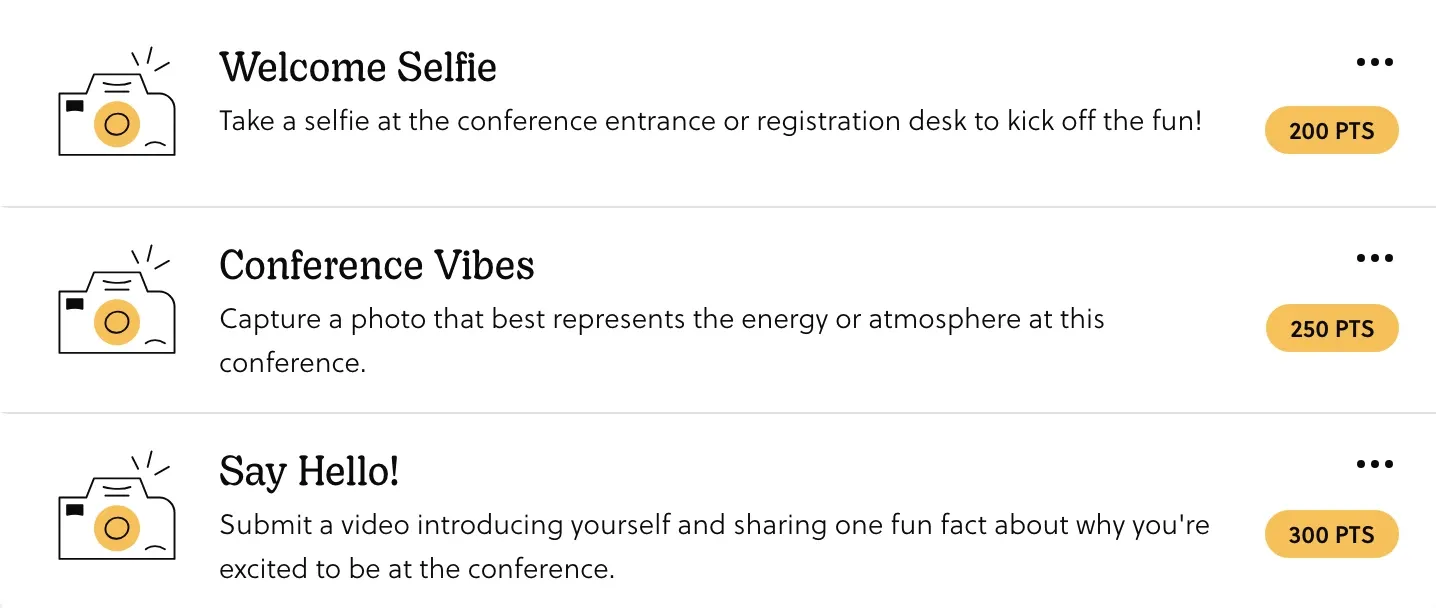
Getting off on the right foot with your participants is critical to ensuring the Experience goes smoothly. Adding a welcome Mission helps onboard participants to the rules, mechanics, and prizes of your Experience. Here are some best practices:
- Put it first 1️⃣
- Release it early ⏰
- Make it Mandatory ✅
- Add a link/image 🔗
- Add your contact 📧
Use Case inspiration: Welcome Missions are a great tool for any Experience, but they are most important when you are running an Experience remotely or with so many participants that you can’t offer hands-on instructions.
Click here to go to 'Creating a Welcome Mission' pro tips page and learn more.
2. Creating team roles to increase participation
Making sure each member of a team is getting a chance to participate can be tricky. Creating team roles can be a clever solution!
Create a number of roles for team members based on the team size you’ve chosen for your Experience. Have each team assign a role to each member. Then, build Missions tailored to each of those roles so everyone has a meaningful way to participate.
Examples of roles could be:
- Strategist 🗺️ - Planning, communication, decision-making
- Explorer 🚀 - Movement-based, observation, discovery
- Documenter 📝 - Visuals, recording, storytelling
Use case inspiration: In a classroom, if you have a group activity where everyone needs to contribute to get full marks, a team roles-based Experience is a great way to engage all students and let you track participation easily.
Click here to go to 'Creating team roles for equal participation' pro tips page and learn more.
3. Use GPS Missions to Personalize Player Journeys
If you want to curate an Experience that is unique to each team, GPS Missions hit the mark!
📍 Set a different starting point for each team physically, and make a unique GPS Mission for each starting point. Then, instruct each team or participant on which starting point they need to go to.
🔓 Once they complete the GPS Mission for their location, you can have that Mission unlock a whole set of Missions for only that team/participant to complete. Have them cycle through each starting point if you want them to work through the same Missions in different orders.
Use case inspiration: You are running a tour Experience at a local museum and want to split the group up to avoid crowding the same gallery.
Click here to go to 'Give each team/participant different Missions using GPS' pro tips page and learn more.
4. Tie-Breaking Strategies to Choose a Clear Winner
Ties can be complicated, and sometimes it is best to avoid them. Here is how to tackle them and declare an official winner.
- Sudden death/quick draw 🤠: Like a cinematic western showdown, you could release a quick draw Mission. Keep this Mission set to draft and then turn off draft mode to instantly release it to the participants. The first team to complete the Mission (successfully) wins and is free to drop an iconic “this pond ain’t big enough for the both of us”!
- Mission Blitz ⚡️: Consider putting out a bunch of small Missions in a short time window. You can have these Missions expire shortly after release, and the team that completes the most in that short time frame wins and your tie will be broken in a flash!
Use case inspiration: Breaking ties can be important when prizes are on the line. If your event has a few teams neck and neck for the top prize, these tips are a fair way to crown a winner.
Click here to go to 'Tie-breaking strategies' pro tips page and learn more.
5. Hide Mission Point Values to Encourage Exploration
An out-of-the-box way to mix up how the scoring works in your Experience could be to make the point values a surprise.
Set some (or all) Missions to 0 points, so that participants have no idea how many points they'll earn by completing them. When the Experience ends, go and change the point values on the Missions to their real value. This will update the scores of all teams who completed those Missions. Keep some Missions at 0 points, while others might be a higher point value.
Use case inspiration: You are running an Experience at a national park and want to spread participants out and prevent overcrowding at the popular sites. Since it's unknown which Missions are worth the most points, participants are encouraged to explore instead of flocking to high-value Mission locations.
Click here to go to 'Hiding the value of each Mission' pro tips page and learn more.
6. Add Hidden Missions or Easter Eggs
There is nothing like being rewarded for your exploration or being in the right place at the right time. You can put similar rewards in your Goosechase Experiences!
Add temporary “hidden” Missions that unlock when a particular Mission is completed using our unlockable Missions feature. Set them to expire quickly so that not all players will stumble upon them. It will make it more rewarding to the players who do find them!
Use case inspiration: During an Experience at a community fair, sprinkle in some secret Missions depending on the time of day your guests visit. A picnic pose for the day visitors, or capturing the nighttime lights for the evening participants.
Click here to go to 'Creating Hidden Treasure or Easter Eggs' pro tips page and learn more.
7. Use Difficulty Indicators to Support All Skill Levels
In Experiences with wide ranges of participants of different ages or abilities, having Missions that account for all skill levels is important!
Consider putting a color emoji in front of each Mission to show its difficulty level. Here is an example:
- 🟢 = EASY
- 🟡 = MEDIUM
- 🔴 = HARD
Use case inspiration: You are running a school-wide Experience where all the grade levels are participating. Having different difficulty levels means that students in both the lower grades and the higher grades will find challenges that match their skill level while still participating simultaneously.
Click here to go to 'Mission difficulty indicator' pro tips page and learn more.
8. Collect Participant Demographic Data with Forms
Goosechase, by default, doesn’t collect large amounts of participant data, but it could be one of the objectives of your Experience.
In this case, link a form, like Google Forms, to a text Mission. Once participants have filled out all the information you need, customize the form's thank you message to include a code word that must be entered to complete the text Mission!
Use case inspiration: Running an Experience at a conference and collecting the contact details for new leads, sponsors, partners, or contacts!
Click here to go to 'Collecting large sets of demographic data' pro tips page and learn more.
9. Gather Video Testimonials Through Missions
Goosechase Experiences can be a great way to get participants to live in the moment, while helping you prep for the future! Crowdsourcing content is easy with Goosechase, especially with video testimonials!
Create a video-only camera Mission in your Experience where participants can share short 30-second testimonials about your event. Give participants a couple of prompts to work off of to keep them organized and to the point. You can easily download these videos to share and promote your Experience or future Experiences!
Use case inspiration: If you run an annual fundraiser or a shop local day, and you want to increase engagement in the future, video testimonials give you a goldmine of positive participant feedback to help spread the word!
Click here to go to 'Video Testimonials' pro tips page and learn more.
10. Crowdsource Future Mission Ideas
The art of the Goosechase is finding creative ways to keep your Experiences engaging each time, even if you run it with the same group of participants. It can be hard as the creator to know what will resonate with participants while building it.
Well…why not ask them yourself? Include a text Mission in your Experience that asks participants what they would like to see in future Experiences, or creative ideas for future Missions!
Use case inspiration: If you use Goosechase in the classroom for lots of your lessons and are worried about students getting tired of the same structure, ask them what they think a fun way to learn with Goosechase would be or what kinds of Missions they enjoy best!
Click here to go to 'Crowdsource future ideas from your participants' pro tips page and learn more.
Final Honks

As the curtains begin to draw, I hope you were able to find a few creative ways to really take your Experiences to the next level. Goosechase is a user-friendly platform that is also designed to give lots of power and flexibility to experienced creators looking to improve their skills. Pro tips are meant to expand your perception of the tools Goosechase offers and have you creating Experiences that even Scorsese would consider ✨CINEMA✨ 🙌.
Your turn
Did you find any plot holes in my pro-tips? Anything you thought was missing? Every Goosechase creator has their own unique way of problem-solving and getting creative, and we love hearing how. If you have your own pro tip that you would like to share with the Goosechase community, please email it to hi@goosechase.com and we will add it to our library!
Roll credits.